LookBack: A Daily Journal That Writes Back a Year Later
v1.0.0 · LookBack-1.0.0.apk, 58 MB · Android 7+, arm64 · Signed, with a SHA-256 checksum on the release page
You can try the app’s interface below, no download neededKey finding
Frame timing showed the GPU, not JavaScript, was the bottleneck; caching still paper objects as GPU textures cut scroll jank in a 73-memory year from 19% to 1.8%.
Objective
Journaling apps ask for too much and give little back. LookBack asks for one small thing a day, a note, a quote or a photo, and on the same date a year later it comes back as a sealed letter from your past self. The goal was to ship that loop as a complete, private Android app that feels like a handmade paper scrapbook and runs smoothly at 120 Hz on a mid-range phone.
- Role
- Solo: product, design direction, engineering, testing and release
- Platform
- Android 7+ (arm64 APK). The codebase is Expo / React Native, so it is cross-platform, but iOS is not released
- How it was built
- With an AI coding assistant (Claude Code). I set the product direction, design and priorities, reviewed and tested every build on a real phone, and drove the performance and privacy decisions. About one week, 9 to 11 November 2026, from first commit to the public 1.0
- Privacy
- Local-first: no accounts, no servers, no analytics. Optional backup goes to your own Google Drive
- React Native
- Expo
- TypeScript
- SQLite
- Reanimated
- Gesture Handler
- Skia
- expo-router
- expo-notifications
- Google Drive API
- Android widget
- Expo config plugins
Live prototype · Android app
one small thing a day ✿

On this day

psst… 4 letters from your past self! Swipe to shuffle, tap to open.
One year ago today
Today
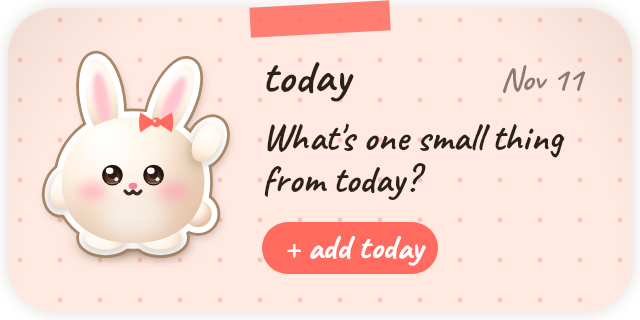
What's one small thing from today?
Years

~ page 1 · the cover ~
Live prototype · App icon




Crying. A whole day went by without a page.
The home-screen widget, beside the icon, adds today’s memory in one tap.
A working copy of the app, ported screen by screen from its React Native source, with its real icon and mascot art. The memories are the app’s own built-in sample set. On a wide screen, pop it out to keep it beside you while you read.
Part 1
The problem
Journaling apps ask for a lot (long entries, daily prompts, streak pressure), and what they give back is a list of old text you rarely reread.
LookBack turns that around. It asks for one small thing a day and pays it back a year later, on the same day, which is the moment a memory means the most: “one year ago today…”. The reward is emotional, not points. It is a letter from your past self.
Part 2
Scoping the core loop
One entry per day: editable all day, which keeps the habit light and the data model simple. The rule lives in the data layer, not the database, so backup merges stay simple.
On this day: same month and day, any earlier year. I decided the leap-day edge case on purpose: a 29 February memory comes back on 28 February in non-leap years.
The right day: dates are stored as your local calendar date, never one derived from UTC, which avoids the classic bug where a late-night entry lands on the wrong day.
Part 3
Retention without nagging
Reminders: they fire only on days that actually have a memory from an earlier year, never as a generic daily nag, and they read like a letter: “💌 A little letter from 2025 — One year ago today: …”. They are scheduled in a rolling 30-day window, rebuilt on every app open and every save.
An app icon that misses you: the launcher icon is the bunny mascot, and it gets more dramatic the longer today’s page stays empty. It is happy by default, pleads after 6 pm, cries after a missed day and wails in a puddle after four or more. It never appears for someone who hasn’t started, so there is no nagging before the first entry. Behind it is a small, pure, tested state machine. You can try it in the second prototype above.
Home-screen widget: add today’s memory in one tap. It shows “💌 2 letters!” when past years match, or your streak.
Part 4
Onboarding and personalisation
On first run, the mascot asks one thing per page, in order: your name, a paper colour and light or dark (the whole app re-themes live as you pick), a reminder time, and optional Drive backup. Notification permission is asked in context, on the reminder page. Every answer saves immediately, so quitting halfway keeps your progress.
There are 7 paper colours, each in light and dark. Dark mode is “the same paper by lamplight”, not black, so the app stays warm.
Part 5
Privacy as a product feature
Everything lives on the phone, in SQLite and files. There are no accounts, no servers and no analytics.
Backup is optional and goes to your own Google Drive, using the narrowest permission, drive.file, so the app can only see files it created, in a visible LookBack folder you can open yourself. Sync is two-way with explicit merge rules: the latest edit wins per entry, one entry per day, photos move only when missing, and photos upload before the manifest so a crash can’t leave dangling references. Sample data never leaves the phone.
I turned off Android’s automatic app backup after finding that it restored a stale copy of the data on reinstall. One clear, user-controlled backup path beats two competing ones.
Part 6
A cutesy paper journal
Every entry is a physical object, such as a polaroid, a torn note, a ticket stub or a taped photo, with washi tape, a clip or a pin, and a sticker. Its look is seeded by the entry’s id, so it stays the same every time, and you can override it. Handwriting is used everywhere, and every screen shares one notebook: dotted paper, a red margin line and a page footer.
The mascot, a soft cream bunny, is drawn entirely in code, so there are no image assets to license, and it is pre-rendered to images for speed. Years live as diaries on a wooden shelf that show their age; tapping one flies the book off the shelf and opens it.
The UI went through many rounds of real-device feedback. The diaries first lay flat and became upright spines, “like a real cupboard”. A page transition that looked janky was rebuilt around a hidden pre-render and a reveal.
Part 7
Engineering: the 120 Hz pass
All numbers were measured on a real phone (OnePlus Nord 5) with Android’s own frame-timing tools.
Refresh rate: the app ran at the phone’s default 90 Hz. A native config plugin now requests the fastest display mode, capped at 120 Hz to save battery.
Scrolling a year of 73 memories: janky frames fell from 19% to 1.8%, and GPU time per frame from 11–12 ms to 6 ms, inside the 8.3 ms budget at 120 Hz.
Home and Settings: janky frames while scrolling Home fell from 9.2% to 0%, and idle GPU time from 12 ms to 5 ms per frame. The Settings page went from 16.6 ms to 5.5 ms per frame.
Navigation: switching between main pages was about 15% janky, with 230–370 ms stalls. Now each switch drops 0 to 3 slow frames, and the stalls are gone. Opening a year from the shelf went from 23% janky to about 5%.
Download size: the release APK went from 179 MB to 58 MB with an arm64-only build.
Part 8
How the frames were won
Profile before fixing: per-frame breakdowns showed whether time went to the main thread, layout or the GPU. The biggest wins came from finding that the GPU, not JavaScript, was the bottleneck.
Cache still things as textures: static, shadow-heavy objects (envelopes, settings cards, the shelf) are cached as GPU textures while they are still, so a frame repaints a picture instead of redrawing blurred shadows and vector shapes.
Viewport-aware caching: in a year’s pile, items within one screen of the viewport become textures at on-screen size (about 1 MB each, around 14 MB in all); far ones stay plain drawings to cap memory.
Progressive rendering: a year opens with the first items drawn, the rest stack on with an animation, and the page builds ahead in idle time, so scrolling never has to build views mid-scroll.
Persistent tabs: the main pages stay mounted, so switching is a cross-fade between pages that already exist instead of a rebuild mid-transition. That exposed two new problems: hidden pages kept the mascot animating, and a text field auto-focusing on Settings caused a 350 ms stall. Both were found with frame timing and fixed with a page-active signal and a tap-to-edit field.
Data from the first frame: all entries load into an in-memory store during the splash screen, so screens read synchronously with no spinners. Reminders and backup wait 3 seconds after launch. Photos are downscaled once on import (camera photos are often over 4000 px; they are stored at 1600 px).
Part 9
Architecture and quality
Repository pattern: all data access goes through entriesRepository, settingsRepository and backupRepository, so the Drive backup plugged in without touching any screen.
Versioned SQLite migrations: tracked with PRAGMA user_version, and a shipped migration is never edited.
Tested core logic: dates and leap years, on-this-day matching, notification planning, backup merging, the layout maths for the scattered and tidy year views, the icon’s mood and paper settings are pure modules with no React Native imports, covered by 82 unit tests.
Native config without hand-edited native code: custom Expo config plugins for 120 Hz and release signing, alternate launcher icons, and a home-screen widget that runs headless. One script (CanvasKit / Skia) draws the app icon, adaptive icon layers, splash, notification icons, widget preview and every mascot pose from a single drawing.
Part 10
Shipping 1.0
I generated a release signing key kept outside the repo, signed the APK, verified its signature and checksum, registered the release key with Google OAuth, and published a GitHub release with a SHA-256 for verification. Before going public I ran a secrets audit and removed private files that had been committed by accident.
I built LookBack with an AI coding assistant, acting as product owner and tech lead: setting the direction, reviewing every build on a real device, and deciding what to measure and what to cut. It went from first commit to a signed public release in about a week.