Connect Head: A Faster Companion App for Sony ULT WEAR Headphones
v1.0.0 · Mac: macOS 14+, Apple silicon and Intel · Android: 10+ · Free and open source
You can try the app’s interface below, no download neededKey finding
The headphones accept only one controlling connection, so the phone sends its commands through the Mac over the local network instead of fighting it for the link.
Objective
Replace Sony’s slow, clunky companion app for my ULT WEAR headphones with one that connects fast and looks the way I wished it did, on both my Mac and my phone. Sony does not publish the headphones’ protocol, so the apps speak it from open-source reverse engineering, and they had to learn to share a headset that accepts only one controlling connection at a time.
- Association
- Independent side project; unofficial and not affiliated with Sony. Open source under AGPL-3.0
- Platform
- macOS 14+ (Apple silicon and Intel) and Android 10+, for the Sony ULT WEAR (WH-ULT900N)
- How it was built
- I designed the app; I built it with Claude (Claude Code) from those designs, over 2 to 3 November 2026
- Privacy
- Listening history stays on the device and is kept for 120 days
- Swift
- SwiftUI
- IOBluetooth (RFCOMM)
- CoreAudio
- AppleScript
- Network framework (Bonjour)
- Kotlin
- Jetpack Compose
- MediaSessionManager
- NsdManager
- R8
Live prototype · Mac app
The ULT WEAR Edition
Connected
Battery
57%
ULT WEAR
AAC · Firmware 2.0.5 · Ambient Sound
Now playing
Midnight City
M83 — Hurry Up, We’re Dreaming
Spotify · This Mac
Sound mode
Tip: press ⌃⌥N to cycle modes. It works here too.
Devices
- MacBook AirNow playing
- Android phoneConnected
Equalizer
Live prototype · Android app
The ULT WEAR Edition
Connected
Battery
57%
ULT WEAR
AAC · Firmware 2.0.5 · Ambient Sound
Now playing
Midnight City
M83 — Hurry Up, We’re Dreaming
Spotify · This Mac
Sound mode
Tip: press ⌃⌥N to cycle modes. It works here too.
Devices
- MacBook AirNow playing
- Android phoneConnected
Equalizer
Working copies of the apps, rebuilt for the web from their own layouts. On a wide screen, pop either one out to keep it on screen while you read. Preset curves, devices and listening history are sample data.
Part 1
Why I built it
I got a rejection after going through every interview round. To cool off, I put on my headphones, played some rock, and opened Sony’s app to turn up the bass. It was slow to connect and clunky to use, and I got annoyed all over again.
So I gave the frustration a job. I redesigned the app the way I wished it looked, then built it with Claude from my designs. It follows DialHack, where I sniffed what the CMF Buds case dial sends over Bluetooth and turned it into a Mac input device.
Part 2
The app
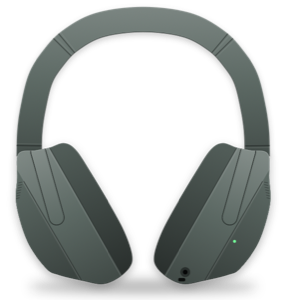
The home page shows the battery as a watch-style tick dial around a drawing of the headphones, traced from Sony’s product photo. Sound modes cover noise cancelling, ambient sound (with its level and focus on voice) or off, and which of those the NC/AMB button cycles through. The equalizer has every preset, Clear Bass and five bands: drag the curve on the home page (press and hold first, so scrolling never changes it), or use the faders.
Now Playing shows artwork and controls for Apple Music, Spotify and YouTube in Safari or Chromium browsers on the Mac, through AppleScript, and for any media app on Android, through MediaSessionManager. You can connect, disconnect and switch between paired devices, and change DSEE, the LDAC preference, multipoint, voice guidance, the voice assistant, auto power off and pause-when-taken-off. The Mac app adds a menu-bar battery, low-battery notifications at 20% and 10%, launch at login, and a global shortcut (⌃⌥N) to cycle sound modes.
Part 3
An undocumented protocol
Sony does not publish how its app talks to the headphones. I built on the open-source Gadgetbridge project’s reverse engineering: an RFCOMM channel carrying framed messages, with start and end bytes, escaping and a checksum, and requests sent one at a time, each waiting for an acknowledgement. The ULT WEAR has its own quirks, such as an extra byte in equalizer messages, which the apps detect. The same protocol logic exists in Swift and in Kotlin, with unit tests on Android.
Part 4
Two apps, one seat
It looked simple. It wasn’t. The headphones accept only one controlling connection, so the Mac and phone apps kept knocking each other off.
The fix was to stop fighting over the seat. The Mac app shares the headphones’ state on the local network, advertised over Bonjour as _connecthead._tcp and served over HTTP. When the phone finds the Mac, it reads the state from it and sends commands through it instead of taking the connection. The Mac is the friend already holding the headphones; the phone just tells the friend what to do. When the Mac is not around, the phone connects directly, and hands the link back when you leave. Every request must carry the headphones’ Bluetooth address, so only devices paired with them can use it.
Part 5
The edge cases
Sharing the seat brought its own bugs. On launch, the phone sometimes grabbed the link before it had found the Mac, and the two passed the connection back and forth. The fix was for the phone to wait briefly for the Mac before connecting, and to give the Mac time to reconnect after a handback.
Part 6
Listening analytics
Because I’m a data person, I couldn’t skip the analytics. The apps record Now Playing history and volume, then show listening time by day and by hour, top artists and tracks, which app the music came from, the average volume, and time spent above 75% volume. Everything stays on the device and is kept for 120 days.
Part 7
The design
The apps borrow this site’s printed-newspaper look: warm paper and ink in light mode, black paper in dark mode, serif type inspired by The New York Times, hairline rules and hard offset shadows, with no glow, and a vermilion accent. The wordmark, CONNECT HEAD, nods to Sony’s silver logo in wide Clarendon capitals with a brushed-silver fill. On the phone, navigation follows this site’s mobile layout, a bottom tab bar with a More menu.
Part 8
Build and credits
The Mac app is built with plain swiftc as a universal binary for Apple silicon and Intel. The Android release APK is shrunk with R8 from 18.6 MB to 2 MB. The protocol comes from Gadgetbridge, and multipoint device management from mos9527/SonyHeadphonesClient. Connect Head is free, open source under AGPL-3.0, and not affiliated with Sony.